
Before downloading the 8K VIP Player, you will need to have the Downloader App installed on your Firestick.
Why use the 8K TiviMate Player Pro App?
The 8K TiviMate Pro App has been created speficially to work with the 8K VIP servers. Settings on both the server and the app gel together to provide the best IPTV experience for our customers. Therefore we strongly recommend this IPTV Player as the app of choice for customers to use on their Smart TVs and Fire Sticks.
How to Install 8K TiviMate Pro App on an Amazon Fire Stick
Installing the 8K TiviMate Pro App
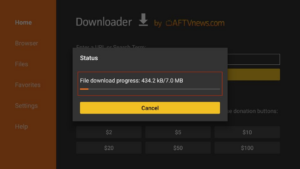
- Open the Downloader app and close any prompts that appear
- Where it says “Enter URL, Search Term or Short Code”, type:1969685 and select OK
- Wait for the 8K Player APK to download to your Fire Stick
- After the download is complete, the Downloader app will ask you to install the 8K TiviMate Pro app. Click Install and wait for it to finish
- Once the installation is successful, you’ll receive a notification that says “App installed”
Setting Up the 8K TiviMate App
- Once downloaded the first option: TIVIMATE 8K PRO CLOUD
- Input the username and password
- Select to add Live tv channels & VOD (movies and tv shows)
- After adding a valid playlist, the 8K TiviMate Pro Player will automatically load the channels. This will take several minutes